




Share


Free Shipping
Free Shipping
Free Returns
Free Returns
Returns Policy
You may return most new, unopened items within 30 days of delivery for a full refund. We'll also pay the return shipping costs if the return is a result of our error (you received an incorrect or defective item, etc.).
You should expect to receive your refund within four weeks of giving your package to the return shipper, however, in many cases you will receive a refund more quickly. This time period includes the transit time for us to receive your return from the shipper (5 to 10 business days), the time it takes us to process your return once we receive it (3 to 5 business days), and the time it takes your bank to process our refund request (5 to 10 business days).
if you need to return an item, simply login to your account, view the order using the "Complete Orders" link under the My Account menu and click the Return Item(s) button. We'll notify you via e-mail of your refund once we've received and processed the returned item.
Shipping
We can ship to virtually any address in the world. Note that there are restrictions on some products, and some products cannot be shipped to international destinations.
When you place an order, we will estimate shipping and delivery dates for you based on the availability of your items and the shipping options you choose. Depending on the shipping provider you choose, shipping date estimates may appear on the shipping quotes page.
Please also note that the shipping rates for many items we sell are weight-based. The weight of any such item can be found on its detail page. To reflect the policies of the shipping companies we use, all weights will be rounded up to the next full pound.
Product Description
The 2 in 1 option means it is for PC / PS3
The 3 in 1 option means it is for PC / PS2 / PS3
(Note: You need to download the driver when connecting 3in1 to PC)
The 4 in 1 option means it is for PC / PS2 / PS3 and Xbox 360
The 7 in 1 option means it is for PC / PS3 / Xbox 360 and Xbox one / PS4 / Switch / Android
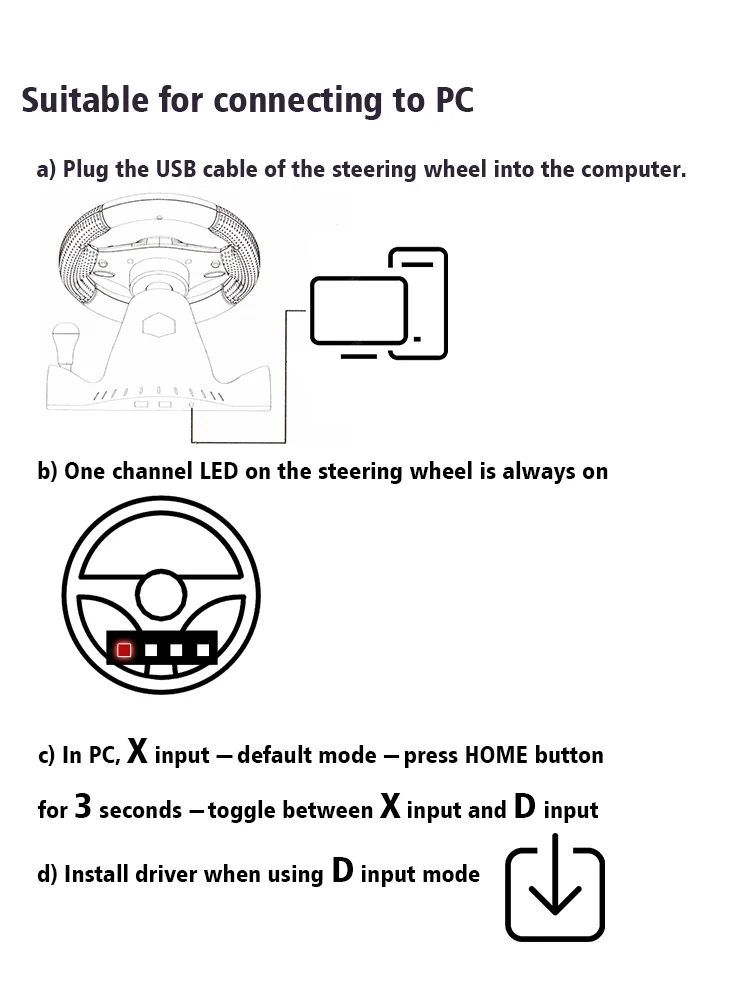
How To Connect To PC
a) Plug the USB cable of the steering wheel into the computer.
b) One channel LED on the steering wheel is always on
c) In PC, X input is recognized as default mode.
Press the HOME button for 3 seconds to toggle between X input and D input.
d) Install the driver when using D input mode.
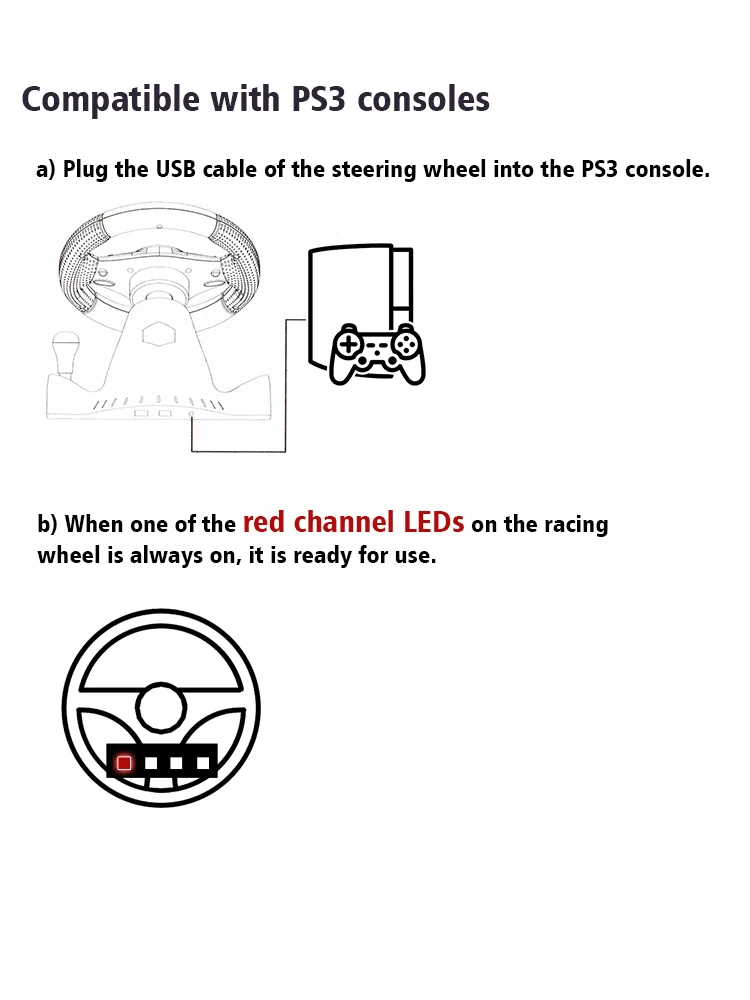
How To Connect PS3
a) Plug the USB cable of the steering wheel into the console for PS3.
b) When one of the red channel LEDs on the racing wheel is always on, it is ready for use.
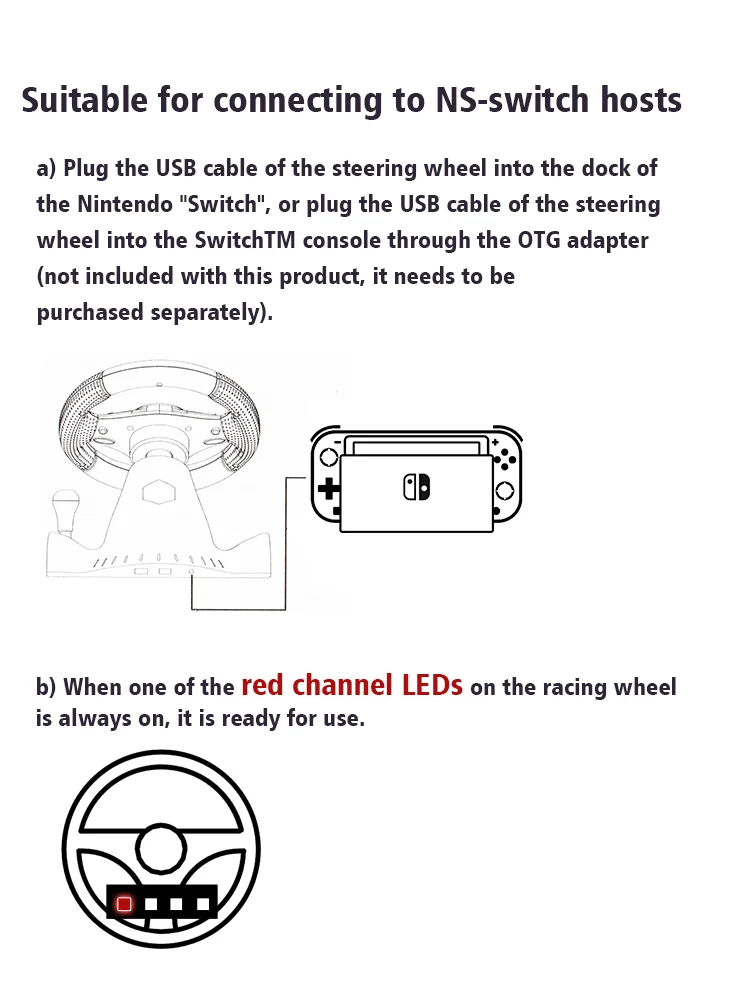
How To Compatible- Switch
a) Plug the USB cable of the steering wheel into the dock of the compatible- Switch, or plug the USB cable of the steering wheel into the SwitchTM console through the OTG adapter (not included with this product, it needs to be purchased separately).
b) When one of the red channel LEDs on the racing wheel is always on, it is ready for use.
How To Connect Android Devices
a) Plug the steering wheel USB cable into your Android TM smart TV or set-top box, or plug the steering wheel USB cable into your Android smartphone via an OTG adapter (not included with this product, which needs to be purchased separately).
b) When one of the red channel LEDs on the racing wheel is always on, it is ready for use.

How To Connect PS4/Xbox One Consoles
a) Connect the appropriate original game controller or a third-party compatible game controller to the USB Type-A port on the rear of the steering wheel.
b) Plug the USB cable of the steering wheel into the game console.

Packge Included
Please select the corresponding one for your game console.
1* Steering Wheel
1* Pedals

Description
Racing Steering Wheel Vibration Controller Gaming Simracing Car Games with Pedals
15-day Free Return and Refund Service
We offer a 15-day free trial of our products in 24 countries, if you don't like what you received, just return it and you can get a full refund! But remember to select "Personal Reasons" as the reason for the dispute so you don't have to pay for shipping and get a full refund when you return it! (For other reasons, you may be charged a hefty shipping fee.)
